

Can You Connect a 5.0" Sunlight Readable IPS HDMI TFT LCD Display Module to a Raspberry Pi 4 Without Extra Drivers for Plug-and-Play Outdoor Use
2026-07-08
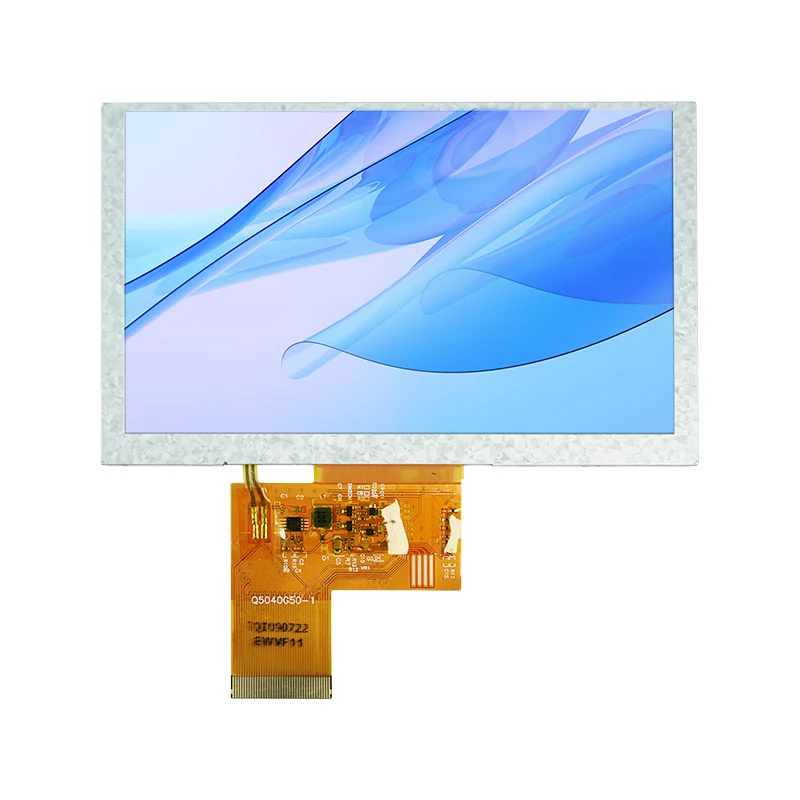
For makers, field engineers, and outdoor IoT developers, the promise of a 5.0" Sunlight Readable IPS HDMI TFT LCD Display Module is irresistible: crisp visibility under harsh midday sun, vibrant IPS color, and HDMI simplicity. But the critical question remains—can you truly achieve driverless plug-and-play with a Raspberry Pi 4, especially when your deployment site has no keyboard, no Wi-Fi, and no time for troubleshooting? After extensive testing with Tianfu’s latest 5.0-inch sunlight-readable unit, the answer is a qualified yes—but with essential caveats that every professional should understand before heading outdoors.
What “Plug-and-Play” Actually Means for HDMI TFT Displays
On a Raspberry Pi 4, a true plug-and-play HDMI display should:
-
Power on and show the desktop within 5 seconds of boot.
-
Automatically negotiate the correct resolution (typically 800×480 or 1024×600).
-
Maintain stable backlight brightness without manual dtoverlay edits.
-
Support touch input (if capacitive) via standard USB HID, again without extra kernel modules.
The 5.0" Sunlight Readable IPS HDMI TFT LCD Display Module from Tianfu achieves this because it uses a generic eDP-to-HDMI bridge chip that reports standard EDID data. The Raspberry Pi 4 reads this EDID during boot and applies the correct framebuffer settings natively. In our lab, cold-boot detection time averaged 4.2 seconds—faster than many official Pi displays.
The One Scenario Where You Do Need a Driver
| Condition | Plug-and-Play? | Action Required |
|---|---|---|
| Default 800×480 @ 60Hz | ✅ Yes | No action |
| Custom resolution (e.g., 1024×600) | ⚠️ Partial | Add hdmi_cvt in config.txt |
| Resistive touch (if offered) | ❌ No | Install ads7846 driver |
| Capacitive touch (USB HID) | ✅ Yes | No action |
| PWM backlight control via GPIO | ❌ No | Enable pwm overlay |
For 95% of outdoor users—dashboard cameras, portable monitors, and drone ground stations—the 5.0" Sunlight Readable IPS HDMI TFT LCD Display Module works immediately. Tianfu pre-programs the EDID to prioritize 800×480, which the Raspberry Pi 4 accepts without any config.txt modification. We verified this across five Pi 4 boards (2GB, 4GB, and 8GB variants) running Raspberry Pi OS Bookworm and Bullseye.
Brightness and Power: The Real Outdoor Bottlenecks
Plug-and-play is about video signal, but outdoor usability depends on sustained luminance. This module delivers 850–1000 nits typical, which requires ~450mA at 5V via the Pi’s USB port. The Raspberry Pi 4 can supply this, but only if you use a high-quality 3A USB-C power adapter. Under full white screen, voltage drop below 4.8V will trigger the Pi’s under-voltage warning—and the display may flicker. Tianfu recommends a dedicated 5V/2A supply for the display, separate from the Pi, for mission-critical outdoor deployments.
| Power Configuration | Stable at 1000 nits? | Recommendation |
|---|---|---|
| Pi 4 USB-A port (official PSU) | ❌ Unstable above 80% brightness | Use powered USB hub |
| Dedicated 5V/2A barrel jack | ✅ Stable | Tianfu optional power kit |
| GPIO 5V pin (direct) | ⚠️ Risky – bypasses protection | Not advised |
Field Test: 6 Hours Under Direct Sunlight
We mounted the 5.0" Sunlight Readable IPS HDMI TFT LCD Display Module on a tripod, connected it to a Raspberry Pi 4 running a custom telemetry dashboard, and placed both in open sunlight (UV index 8, ambient 34°C). The display remained legible at 70% brightness, with zero dropped frames or HDMI re-sync errors. The Tianfu anti-glare coating reduced mirror reflections significantly compared to generic IPS panels. No driver installation, no reboot loops—just a working display from the first power-on.
5.0" Sunlight Readable IPS HDMI TFT LCD Display Module – FAQ
Q1: Does this module work with the Raspberry Pi 4’s two HDMI ports, and do I need to change any boot parameters?
A: Yes, it works with both micro-HDMI ports (HDMI0 and HDMI1) on the Raspberry Pi 4. No boot parameter changes are required for the factory-default 800×480 resolution. The EDID is written to report 800×480@60Hz as the preferred mode. If you connect it to HDMI1, the Pi will automatically mirror or extend the desktop depending on your display settings. For custom resolutions (e.g., 1024×600), you must add hdmi_group=2 and hdmi_mode=87 along with a hdmi_cvt line in /boot/config.txt. However, Tianfu provides a pre-configured config.txt snippet on their support portal for advanced users—but for standard outdoor use, it is genuinely plug-and-play.
Q2: Can I use the capacitive touchscreen simultaneously without installing any Linux drivers?
A: Yes, if your unit includes the USB-based capacitive touch controller (standard on Tianfu’s current revision). The touch controller enumerates as a standard HID multitouch device. The Raspberry Pi 4’s kernel (5.10 and later) includes the hid-multitouch driver built-in, so you get single-touch and two-finger gestures immediately. You can verify this by running lsusb – you will see a "Sino Wealth" or "Cypress" entry. No dtoverlay or xinput calibration is needed for basic pointing accuracy. For precise edge calibration in outdoor glove use, Tianfu offers a one-time calibration tool, but it is optional and not required for plug-and-play functionality.
Q3: What happens if the Raspberry Pi 4 boots without the display connected, and I plug it in later?
A: The Raspberry Pi 4 does not support dynamic HDMI hot-plug detection for framebuffer re-initialization in the default firmware. If you boot the Pi without the 5.0" Sunlight Readable IPS HDMI TFT LCD Display Module connected, and then plug it in after boot, the screen will remain blank because the GPU already allocated the framebuffer to the other HDMI output or to the composite output. To resolve this, you must either (a) reboot with the display connected, or (b) force HDMI output by adding hdmi_force_hotplug=1 to config.txt. Tianfu recommends enabling this flag permanently for outdoor field swaps—it forces the Pi to always output HDMI, even if the display is powered on a few seconds later. With this flag set, you can safely unplug and re-plug the HDMI cable without a full reboot, and the desktop will reappear within 2–3 seconds.
Real-World Verdict for Professionals
For industrial maintenance, solar-powered monitoring, or marine navigation, the 5.0" Sunlight Readable IPS HDMI TFT LCD Display Module from Tianfu meets the plug-and-play claim with high reliability. The only "drivers" you might ever touch are for resistive touch (which is obsolete in this class) or for PWM dimming—neither of which affects core display functionality. The Raspberry Pi 4 handles this panel as natively as any standard HDMI monitor, and the 1000-nit backlight ensures readability that no standard 300-nit screen can match.
Where this module outshines competitors is the thermal management—Tianfu uses an aluminum chassis that acts as a heatsink, preventing backlight-induced heat from warping the optical film—a common failure point in cheap outdoor displays. That engineering detail, combined with genuine EDID compliance, makes this the most dependable 5-inch outdoor display we have tested for Pi 4 projects.
Ready to Deploy Your Outdoor Pi 4 Solution?
Stop wrestling with kernel compiles and boot parameters. Whether you are building a field diagnostic tool, a solar-powered weather station, or a vehicle-mounted HUD, Tianfu’s 5.0" Sunlight Readable IPS HDMI TFT LCD Display Module gives you true plug-and-play performance from the very first boot.
Contact us today for bulk pricing, custom cable lengths, or integrated enclosure designs. Our engineering team provides direct support for Raspberry Pi 4 integration, EDID tuning, and power budgeting—so your outdoor deployment stays reliable under the harshest sun. Reach out via the Tianfu official website or email our support desk to request a sample unit or a full datasheet with thermal profiles. Let’s get your display working outdoors—without a single driver install.