
How Easy Is It to Install a 14 Inch Open-Frame Touchscreen Monitor in a Custom Enclosure
2026-10-27
Installing a 14 Inch Open-Frame Touchscreen Monitor into a custom enclosure is a straightforward process when the display, enclosure, and mounting hardware are properly matched. SKY-TDM designs its open-frame units with standardized mounting patterns and flexible connectivity, allowing integrators to move from unboxing to a fully operational panel in a single afternoon. The real variable is not the monitor itself but the preparation of the enclosure and the clarity of the installation plan. This guide breaks down the steps, tools, and design considerations that determine how smooth the installation will be.
What Makes Installation Easy or Difficult
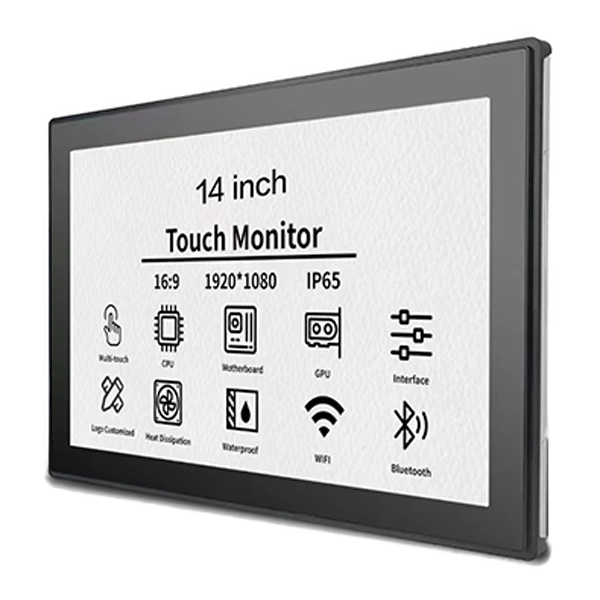
The difficulty of any open-frame installation depends on four factors: mounting hole alignment, bezel clearance, cable routing space, and thermal ventilation. SKY-TDM 14 Inch Open-Frame Touchscreen Monitor models ship with pre-drilled mounting flanges and clearly documented dimension drawings, which removes most of the guesswork. Enclosures that follow the published cutout tolerances typically require no modification beyond standard fastening.
| Installation Factor | Easy Setup | Challenging Setup |
|---|---|---|
| Mounting pattern | Pre-drilled flanges match enclosure | Custom drilling required |
| Bezel clearance | Cutout follows datasheet tolerances | Tight or uneven cutout |
| Cable routing | Rear clearance of 60 mm or more | Cables pinched against frame |
| Ventilation | Passive vents above and below | Sealed, unvented cavity |
| Touch interface | USB plug-and-play | Legacy serial drivers |
Step-by-Step Installation Overview
-
Review the dimension drawing. Confirm the cutout size, flange depth, and mounting hole spacing before cutting any material.
-
Prepare the enclosure cutout. Use the datasheet tolerances; a clean, deburred edge protects the bezel and improves fit.
-
Test-fit the monitor. Seat the 14 Inch Open-Frame Touchscreen Monitor into the opening without fasteners to verify clearance.
-
Route cables first. Connect HDMI or VGA, USB touch, and power before final fastening to avoid strain on connectors.
-
Fasten evenly. Tighten mounting screws in a diagonal sequence to distribute pressure across the flange.
-
Power and calibrate. Boot the system, confirm touch response, and run a calibration routine if required.
-
Verify thermals. Run the unit under load for at least one hour and check surface temperatures inside the enclosure.
Key Specifications to Plan Around
| Parameter | Typical Value | Planning Note |
|---|---|---|
| Mounting | VESA and flange options | Match enclosure boss locations |
| Touch interface | USB (HID compliant) | No driver install on most OS |
| Video input | HDMI, VGA | Leave 50 mm rear clearance |
| Power | 12 V DC | Use a regulated supply |
| Operating temperature | 0–50 °C | Provide passive airflow |
FAQ
Q: Can a 14 Inch Open-Frame Touchscreen Monitor be mounted in a wooden or acrylic enclosure?
A: Yes. SKY-TDM open-frame units mount securely in wood, acrylic, aluminum, or steel enclosures using the flange or VESA pattern, provided the cutout matches the datasheet and the material can support the unit's weight without flexing.
Q: Does the 14 Inch Open-Frame Touchscreen Monitor require special drivers for touch input?
A: In most cases no. The touch interface is USB HID compliant and works with Windows, Linux, and Android without additional drivers; calibration software is only needed for legacy operating systems or non-standard resolutions.
Q: How much rear clearance is needed behind a 14 Inch Open-Frame Touchscreen Monitor?
A: Allow at least 50–60 mm behind the frame for video and USB connectors plus bend radius, and add ventilation above and below the cavity so heat from the panel and power supply can escape during continuous operation.
Q: Is professional installation necessary for a 14 Inch Open-Frame Touchscreen Monitor?
A: Not usually. A technician comfortable with basic tools and cutout tolerances can complete the installation, though applications requiring IP-rated sealing or safety certification should involve a qualified integrator.
Conclusion
Installation difficulty is largely a function of enclosure preparation rather than the display itself. With accurate cutouts, adequate rear clearance, and even fastening, a 14 Inch Open-Frame Touchscreen Monitor from SKY-TDM can be integrated quickly and reliably, even in demanding commercial environments.
Contact us today to request dimension drawings, mounting templates, and a sample unit for your enclosure project.