
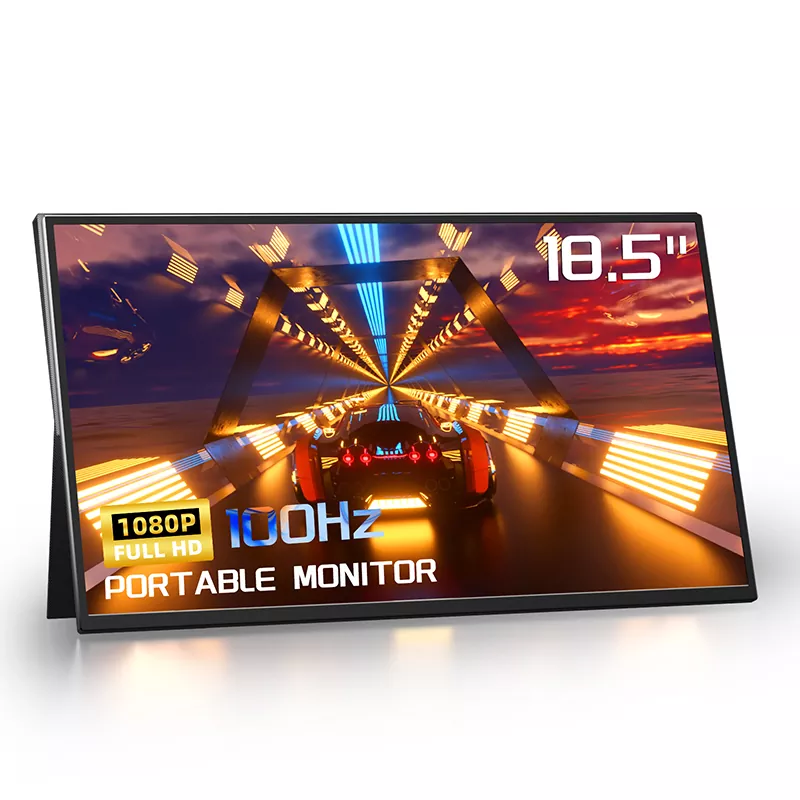
How Easy Is It to Set Up an 18.5 Inch 1080P 100Hz Portable Monitor with a Single USB-C Cable
2026-11-04
Setting up a 18.5 Inch 1080P 100Hz Portable Monitor has become remarkably simple, and with CHANGXIAN's engineering approach, a single USB-C cable can deliver video, audio, and power at the same time. If you have ever juggled HDMI cables, power adapters, and speaker wires, the appeal of one-cable connectivity is easy to understand. Below is a practical, technical breakdown of how the setup works, what it requires, and where the common pitfalls lie.
What "Single-Cable" Actually Means
A 18.5 Inch 1080P 100Hz Portable Monitor from CHANGXIAN supports USB-C DisplayPort Alt Mode, which carries a DisplayPort video signal over the same connector used for data and power. When the host device supports both DP Alt Mode and USB Power Delivery, one cable handles everything. The table below summarizes the requirements.
| Requirement | Specification | Why It Matters |
|---|---|---|
| Host port | USB-C with DP Alt Mode | Carries the 1080P video signal |
| Power Delivery | USB PD 3.0, 15W–65W depending on host | Powers the panel and charges the host |
| Cable | USB-C 3.1 Gen2, 10Gbps, 100W rated | Insufficient cables cause black screens |
| Refresh rate | 100Hz requires adequate bandwidth | Ensures smooth motion without dropped frames |
Step-by-Step Setup
-
Connect the USB-C cable to a DP Alt Mode port on your laptop, handheld, or phone.
-
Connect the other end to the CHANGXIAN monitor's primary USB-C port.
-
Wait three to five seconds for the display to enumerate.
-
Set the resolution to 1920×1080 and refresh rate to 100Hz in your OS display settings.
-
Adjust brightness, contrast, and color temperature via the on-screen menu.
Compatibility at a Glance
| Device Type | Single-Cable Support | Notes |
|---|---|---|
| Windows laptop (USB-C DP Alt Mode) | Yes | Most 2020+ models |
| MacBook (M1/M2/M3) | Yes | Use a 100W-rated cable |
| Steam Deck / ROG Ally | Yes | Confirm PD passthrough wattage |
| Nintendo Switch | Partial | Docked mode may need power input |
| Older laptops with HDMI only | No | Requires HDMI + USB power |
Why the 100Hz Panel Matters
A 18.5 Inch 1080P 100Hz Portable Monitor offers smoother cursor movement, cleaner scrolling, and lower motion blur than 60Hz panels. For spreadsheet work, coding, and casual gaming, the difference is noticeable. CHANGXIAN tunes each panel for consistent color and response time, which reduces the tuning work users normally do after purchase.
FAQ
Q: Can a single USB-C cable really power an 18.5 Inch 1080P 100Hz Portable Monitor and send video at the same time?
A: Yes, provided the host port supports both DisplayPort Alt Mode and USB Power Delivery. The CHANGXIAN monitor negotiates power and video over one cable, but the host must supply enough wattage; laptops with 15W PD output may need an external power source for stable 100Hz operation.
Q: What should I do if the 18.5 Inch 1080P 100Hz Portable Monitor shows no signal with a single cable?
A: First confirm the cable is USB-C 3.1 Gen2 with 100W rating, then verify the host port supports DP Alt Mode. Try the monitor's second USB-C port, update graphics drivers, and test the cable with another device to isolate the fault.
Q: Does the 18.5 Inch 1080P 100Hz Portable Monitor work with a phone or tablet over one cable?
A: It works with phones and tablets that output DP Alt Mode, such as recent Samsung Galaxy and iPad Pro models. Devices without DP Alt Mode will not send video over USB-C, so check the manufacturer's specification before relying on single-cable setup.
Q: Is 100Hz achievable over a single USB-C cable on all hosts?
A: Not always. 100Hz at 1080P requires sufficient link bandwidth and stable PD. Some low-power hosts default to 60Hz; in that case, set 100Hz manually in display settings or use a powered USB-C hub to stabilize the link.
Contact Us
Ready to simplify your mobile workstation? Contact CHANGXIAN today for technical guidance, bulk pricing, and compatibility checks for the 18.5 Inch 1080P 100Hz Portable Monitor, and let our team confirm the right cable and power configuration for your devices.